|
The StartupRun utility displays the list of all applications that are loaded automatically when Windows boots. For each application, additional information is displayed (Product Name, File Version, Description, and Company Name), in order to allow you to easily identify the applications that are loaded at Windows startup. if StartupRun identifies a spyware or adware program that runs at startup, it automatically paints it in pink color. In addition, you are allowed to Edit, disable, enable and delete the selected startup entries. You can also save the list of startup items into a text or html files, and even add a new startup entry to the Registry.

Keywords: startup, applications, boot, enable, disable
|
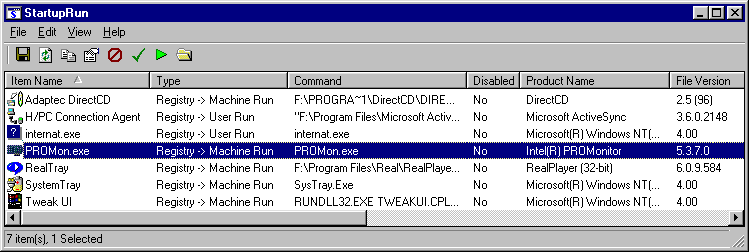
Click to enlarge
|
| 


 Web Page Thumbnails 2.8.0: Free software to easily capture thumbnails of web pages