|
InjuredPixels can help you check your PC, laptop or tablet screen for dead pixels, scratches or defects. InjuredPixels can be used to test a new LCD monitor before purchasing, or an already purchased monitor during the warranty period (as you may get a replacement according to the manufacturer's dead pixel policy). InjuredPixels fills the entire screen with a primary or custom color, allowing you to inspect the screen for pixels that do not match the selected color. The program is easy to use: click or use the arrow keys to cycle through colors or right-click to get the menu with the main commands. InjuredPixels can be run directly without having to install it on your computer: just download the portable version and run. Tiny, free and open source, and hosted on GitHub!

Keywords: lcd, monitor, screen, colors, dead pixel, defective pixel, pixel, black, white, red, blue, green, hardware, warranty
|
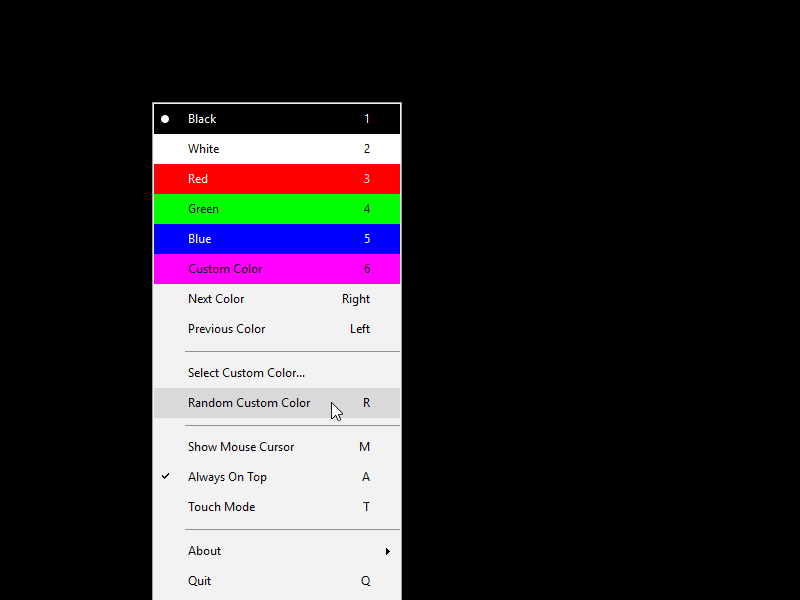
Click to enlarge
|
Related programs in System Utilities - System Maintenance |
|
WDumpEvt
Windows NT/2000 eventlog management tool: dump, save, view the local/remote log
|
|
Flowers Meadow 3D Screensaver
Amazing flowers meadow 3d screensaver helps you to enjoy nature scenes.
|
|
CacheBoost Server Edition
Boost performance with system and cache management of Windows.
|
|
Sound Control
Sound mixer applet which allows you to add hot keys to volume mixers and Winamp.
|
|
CacheBoost Professional Edition
Boost system performance and cache-management of Windows XP, NT, 2000.
|
|
MegaUPS
Megatec compatible UPS minidriver for Windows 2000/XP/2003.
|
|
Update Pack
Program substitutes the default Windows shutdown and startup screens!
|
|
StarStrider screen saver
Turn the StarStrider 3D planetarium into a screen saver!
|
|
No-Keys
Onscreen computer keyboard. Type with a mouse.
|
|
Mihov DiskFree
Show free disk space, info updated every second.
|



 Web Page Thumbnails 2.8.0: Free software to easily capture thumbnails of web pages