|
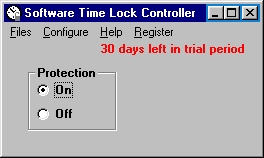
Control at what times the Web, specific programs, and even Windows itself can be used on a particular computer. Also, control how long these functions can be used in the course of a day.
1) Set blocks of time for each day of the week during which you cannot access the Web on a computer. For example, you can set that you cannot access the Web Monday through Friday from midnight to 6 PM and from 10 PM to midnight. You can set several blocks for each day, such as midnight to 8 AM and 6 PM to midnight, thus creating a limited time period during which the Web can be accessed (in this case, 8 AM to 6 PM).
2) Select specific programs and set blocks of time for each day of the week during which you cannot use these programs. For example, you can set that you cannot use certain games from noon to 8:00 PM Monday through Friday. You can set several blocks for each day, such as midnight to 8 AM and 6 PM to midnight, thus creating a limited time period during which the programs can be used (in this case, 8 AM to 6 PM).
3) Set blocks of time for each day of the week during which you cannot use the computer at all. For example, you can set that you cannot have the computer on from 9 PM to midnight and from midnight to 8 AM on Saturday and Sunday. You can set several blocks for each day of the week, such as midnight to 8 AM and 6 PM to midnight, thus creating a limited time period during which the computer can be used (in this case, 8 AM to 6 PM).
4) Set that a user can only access the Web for a specific length of time on each day of the week. For example, you could set that you can only surf the Web for one hour per day on Monday through Friday, and for three hours per day on Saturday and Sunday.
5) Select specific programs and set limits of how many hours and minutes you can access them each day of the week.
6) Set for each day of the week how many hours you can use the computer.

Keywords: time control, software time restriction, computer access control, time lock, restrict time
|
Click to enlarge
|



 Web Page Thumbnails 2.8.0: Free software to easily capture thumbnails of web pages