|
PhotoInstrument is an easy to learn tool for editing and retouching digital photos.
The powerful raster graphics editor in PhotoInstruments quickly and easily allows you to adjust and process digital photos. PhotoInstruments rich tools and effects offer adjustments and photo retouching tools that are usually found only in expensive retouching software.
Now with just a few clicks in PhotoInstrument anyone can solve most digital photo problems. So easy to use that anyone can apply these changes. Included with PhotoInstrument is a short video tutorial that will teach you how to use PhotoInstrument in just minutes.
PhotoInstrument supports more than thirty image formats including PNG, JPG, BMP, TIF, PCX, TGA, EXR, ICO and Adobe Photoshop PSD.
Support Photoshop-compatible plugins. Many useful plugins are already included in the installation file.
PhotoInsturments user-friendly interface, supports these languages: Arabic, Armenian, Azerbaijani, English, Bulgarian, Czech, Danish, Dutch, Farsi, French, Georgian, German, Greek, Hebrew, Hungarian, Italian, Indonesian, Korean, Kurdish, Malay, Polish, Portuguese, Russian, Serbian, Slovak, Spanish, Simplified Chinese, Traditional Chinese, Turkish, Ukrainian, Vietnamese
Here are some of the tools featured in PhotoInstrument:
· Liquify
· Clone
· Smudge
· Skin Cleaner
· Glamour Skin
· Dodge / Burn
· Batch Resizing
· Brush
· Blur
· Sharpen
· Colorize
· Rotate / Scale
· Red Eye Removal
· Brightness-Contrast
· Adjust Color Levels
· Glow
· Healing Brush
· Denoise
· Crop
· Object Removal
· Layers

Keywords: graphics, editor, retouching, retouch, photo, glamour, liquify, colorize, redeye
|
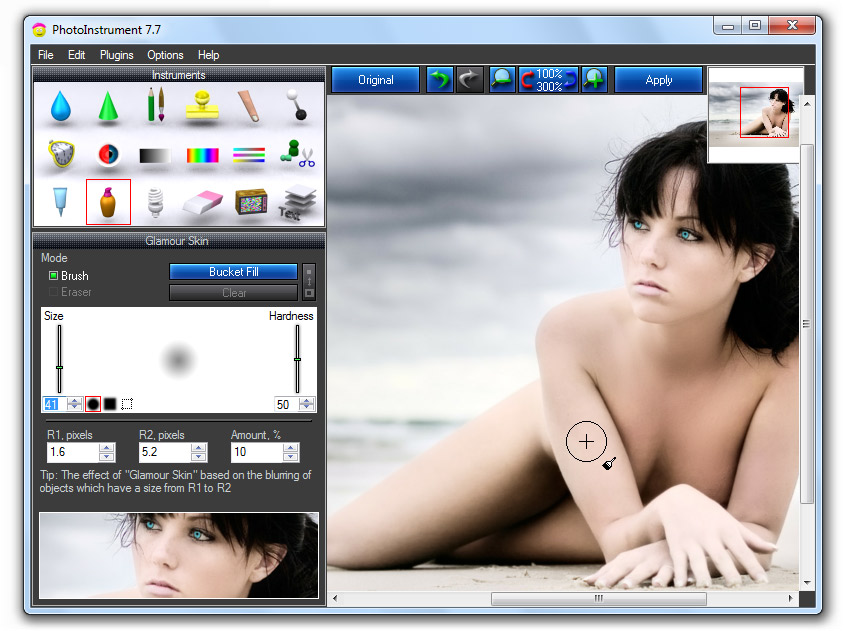
Click to enlarge
|
PhotoInstrument 7.7 |
Author: | Timur Fatykhov
Other programs by Timur Fatykhov
|
Downloads: |
1713 |
Size: |
5250K |
Cost: |
$29.95 US |
Users Rating: |
 Reviews (0) Write review Reviews (0) Write review
|
Feedback: |
Report broken download Report spyware [?] |
License: |
Shareware [?] |
Operating Systems: |
    
|
Release Status: |
update (2018-04-01) |
Recent Changes: |
Correct uninstall function. |
Supported Languages: |
English, Albanian, Arabic, Armenian, Azerbaijani, Bulgarian, Chinese, ChineseSimplified, ChineseTraditional, Czech, Danish, Dutch, French, Georgian, German, Greek, Hebrew, Hungarian, Indonesian, Italian, Korean, Kurdish, Malay, Persian, Polish, Portuguese, Russian, Serbian, Slovak, S |
Additional Requirements: |
Not Established |

 Web Page Thumbnails 2.8.0: Free software to easily capture thumbnails of web pages